Short answer: To create a poll in a Telegram channel or group, open the attachment menu, choose Poll, write a question and the options, then pick the settings. Polls are anonymous unless you choose to show who voted. Quiz mode marks one answer as correct (newer versions allow quizzes with several), and you can add an explanation that appears after someone answers. Voters can usually change their vote by retracting it, unless the creator disabled revoting. Since the 2026 updates, polls can also have time limits, hidden results until they close, shuffled options, media, and, in channels, limits to subscribers or to specific countries.
Polls are the most underused feature on most of the channels I work with. Owners post one when they need a decision, get 40 votes, and decide polls don't work. I've run polls on my own channels for years, and they've been one of the most reliable ways to get readers to do something other than scroll past. But only when they're built for the audience, not for the owner. This guide covers how polls work after Telegram's big 2026 overhaul, what each setting changes, and how I actually use them.
How to create a poll in a Telegram channel
The steps are the same in groups and channels, and nearly identical across apps.
Open the channel and tap the attachment icon (the paperclip).
Choose Poll.
Write the question, then add the answer options.
Open the settings and choose the type: a regular poll, a poll with multiple answers, or a quiz.
Set anything else you need, such as visible votes, a time limit or hidden results, then send it like any other post.
Telegram described the basic flow when it launched Polls 2.0: choose Poll in the attachment menu, enter the question and options, pick the settings. Polls work in groups and channels but not in one-on-one chats. Everything since then has been added on top of that flow, and some apps show the newer options under an extra settings screen, so if you can't see one, update the app and look there first.
You can also schedule a poll like any other post, which is how I run most of mine. If you post at a set time each day, a poll that goes out at that time gets more votes than one dropped in at random.
Every poll setting, and what it changes
Telegram's March 2026 update added more than ten new poll features. Here's what each setting does in practice. The underlying flags are listed in the developer documentation on polls, which is useful if you want to know exactly what a setting controls.
Anonymous or visible votes
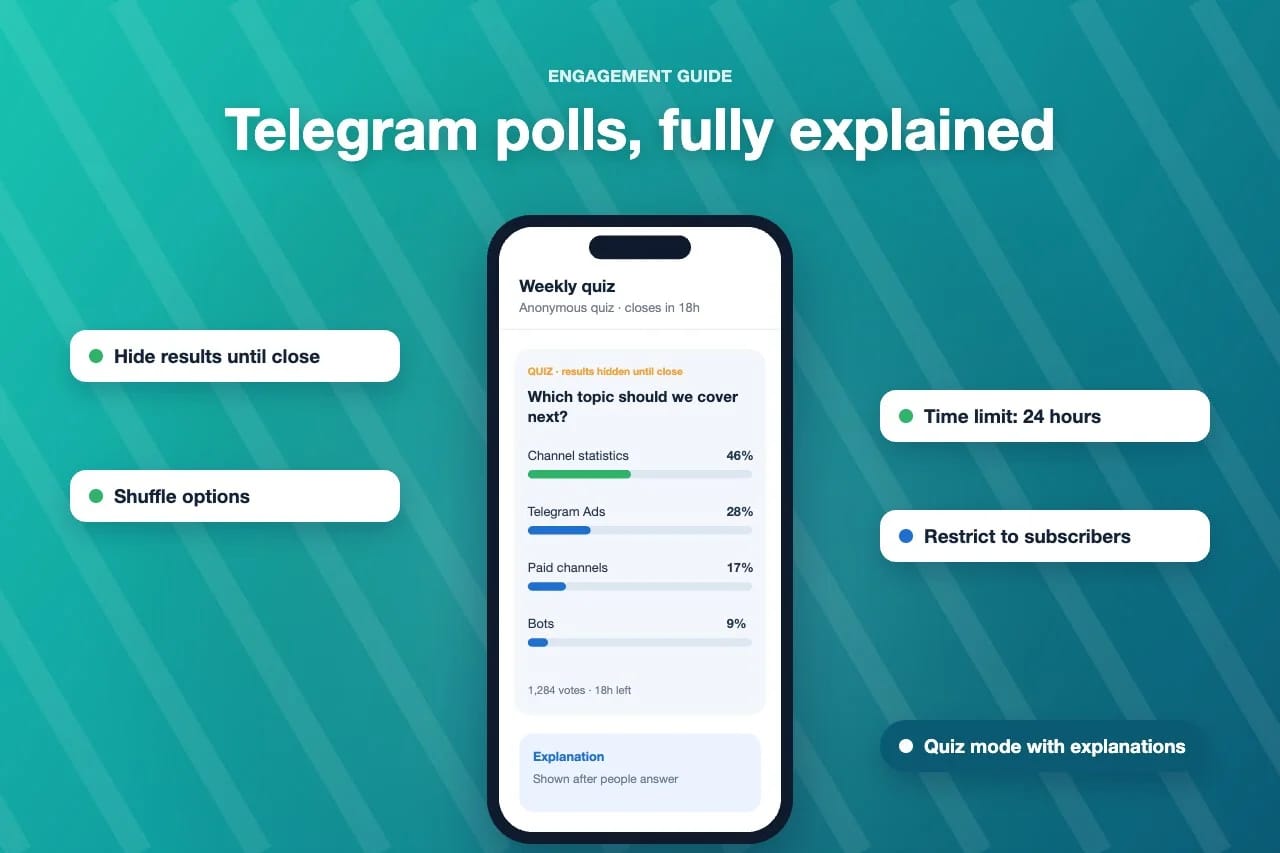
Polls are anonymous by default: everyone sees the totals, nobody sees who voted for what. With visible votes ("show who voted"), the names appear next to each option. Telegram added a timestamp next to each visible vote in its March 2026 release, so you can also see when people voted.
My rule: anonymous for opinions, visible for logistics. "Which topic should I cover next?" gets honest answers anonymously. "Who's coming to the meetup on Saturday?" needs names. If you ask a sensitive question with visible votes, you'll get fewer votes and less honest ones. In a group with visible votes, the creator gets a notification each time someone responds, which is handy for small RSVP polls and noisy for big ones.
Multiple answers
Lets each person pick more than one option. Use it when the options aren't mutually exclusive ("Which of these do you use?"). Don't use it when you need a decision, because everyone ticks everything and you learn nothing.
Quiz mode
A quiz marks the correct answer, shows the voter whether they got it right, and can show an explanation afterwards. Originally a quiz had exactly one correct answer and no second chances. The 2026 update lets quizzes allow several correct answers or allow people to try again.
Quizzes are the best engagement format I know on Telegram, by a distance. People who would never react to a post will answer a question to see if they're right. Write the explanation properly: two or three sentences that teach something, with a link if it helps. That explanation is often read more closely than the post it's attached to.
Retracting and revoting
In a regular poll, voters can retract their vote and vote again. You can now disable revoting, which locks each vote in. I disable it for anything that feels like a decision or a competition, so nobody can game the result late, and leave it on for casual opinion polls where people might genuinely change their mind.
Time limits and hidden results
You can set a poll to close automatically after a period or at a set time, and you can hide the results until it closes. Together these are the biggest improvement for anyone who runs polls seriously.
Hidden results fix a problem that's been around since polls launched: the bandwagon. When people can see that one option is already at 70%, they either pile on or don't bother voting. With results hidden until the deadline, each vote is closer to an independent choice, and more people vote because they want to see the outcome. A deadline also creates a reason to vote now. I use 24 hours for most polls and 48 for anything that needs a weekend.
Shuffled options
Shows the options in a different order for each person. The first option in a list gets picked more often just for being first. If the order doesn't carry meaning, shuffle it.
Media, descriptions and links
You can attach photos, videos or a location to the question and to individual options, add a description for context, and, since the June 2026 update, put links in poll options. "Which cover do you prefer?" with the actual covers attached gets far more votes than the same question with "Option A" and "Option B."
Suggested options
You can let voters add their own options to an active poll. It works well in groups and in channels where you genuinely want ideas. It works badly in big public channels, where someone will add a joke option that wins.
Restricting who can vote
The May 2026 update let channel admins restrict a poll to subscribers only or to users from specific countries, through "Restrict to subscribers" or "Limit by country" in the poll settings. Without it, anyone who sees a forwarded copy of your poll can vote in it. If your poll is meant to represent your readers, restrict it to subscribers. If you run a regional channel and only want local opinions, limit it by country.
Can people change their vote on a Telegram poll?
This is the question I get asked most, so it deserves its own answer. In a regular poll, yes: open the poll menu and choose to retract the vote, then vote again. In a quiz, historically no: once you answered, that was it, though newer quizzes can be set to allow revoting. And in any poll where the creator disabled revoting, the first vote is final.
If you're the creator and you notice a mistake in your options after people have voted, you generally can't fix the options without starting again. Stop the poll, explain the mistake in one line, and post a corrected one. Readers forgive that far more easily than a poll with a wrong answer marked correct.
Reading the results: poll statistics
Since May 2026, polls in groups and channels show admins an interactive graph tracking the number of votes for each option over time. It becomes available once a poll reaches 100 votes. Past and active polls also appear in a dedicated Polls tab on the channel or group profile, which is useful both for you and for new readers who want to see what the community thinks.
The time graph tells you more than the final split. Look for two things. First, when votes came in: if most arrived in the first hour, your audience is active at that time of day, which is useful for scheduling everything else. Second, whether an option surged late. A late surge usually means the poll got forwarded somewhere, which is good to know, and it's one more reason to restrict votes to subscribers when the result matters.
Seven ways I use polls on my channels
Polls are a tool, not content in themselves. These are the uses that have earned a regular place on channels I run.
The weekly quiz. One quiz a week on the channel's topic, with a proper explanation. It's the post that gets the most interaction every week, and the explanation doubles as a mini-lesson.
Choosing the next topic. Three or four options, anonymous, hidden results, 24-hour limit. Then actually write the winner and say so. The second time you do it, more people vote, because they've seen it matters.
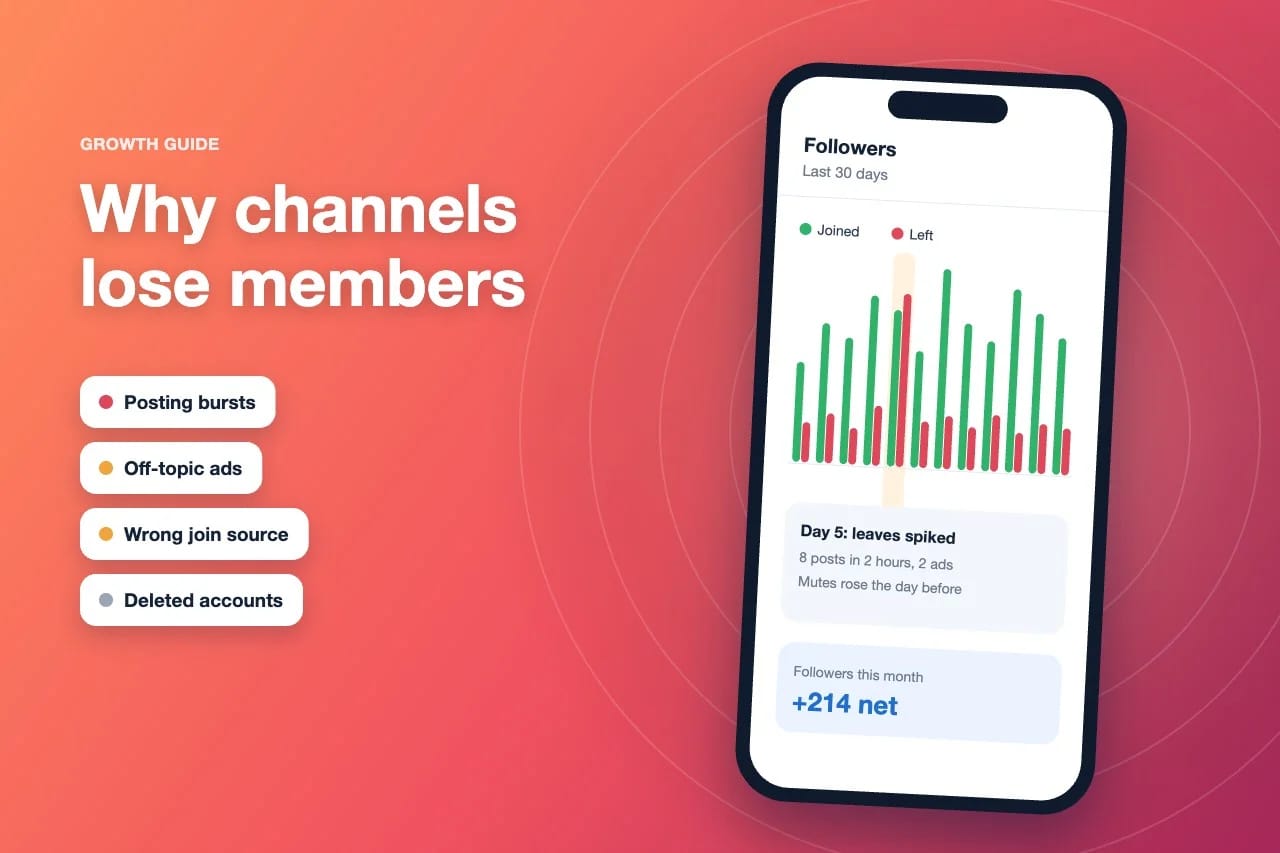
Checking a format change. Before changing posting times or frequency, I ask. It turns a change that might cause leaves into one readers chose. If you're worried about members leaving after a change, my guide on why channels lose members covers what to watch.
"Did this help?" A two-option poll under a long guide. It's a cleaner signal than reactions, because people who don't usually react will still tap yes or no.
Predictions. For news, sports or market channels, a prediction poll before the event and a follow-up post after it. People come back to see if they were right.
Picking between two options with images. Covers, logos, designs. Attach the images to the options and the votes come in fast.
Collecting ideas. In a discussion group, a poll with suggested options turned on. It's a lighter alternative to a comment thread, and the best ideas float to the top. My guide to channel comments covers when a discussion is the better choice.
Writing polls people actually answer
Most poll problems are writing problems. These are the rules I follow.
One question, one idea. "Do you prefer shorter posts and more videos?" is two questions. Split it.
Two to five options. Telegram allows more, but more options means fewer votes, because people stop reading. If you need ten options, you probably need two polls.
Short options. Readers scan. An option that wraps onto three lines won't get picked.
An honest "other" or "no opinion." Without it, people who don't fit any option either skip the poll or pick something random, and both make the result worse.
Say what you'll do with the result. One line in the description: "I'll write the winning topic next Tuesday." That single sentence raises turnout more than anything else I've tried.
Don't run polls constantly. One or two a week keeps them interesting. A poll on every post turns into noise and gets muted along with everything else.
Polls and engagement metrics
Poll votes don't show up as reactions or comments, but they do reflect how active your audience is. A channel where a poll gets votes from a reasonable share of the people who viewed it has readers who are paying attention. When a quiz gets 30 votes on a post with 5,000 views, that tells you something too, usually that the question wasn't interesting or the poll went out at a bad time.
I track three numbers for each poll: views on the poll post, total votes, and how quickly the votes came. The ratio of votes to views is a good measure of how engaging the question was, and it's easy to compare with your other posts using the engagement rate calculator. For the bigger picture on views, reactions and comments together, my guide to getting more Telegram reactions explains how all these signals fit.
A word about buying poll votes
We sell Telegram poll votes, so I'll be clear about what they are and aren't. Bought votes add to an option's total. They're useful when a new poll needs a starting point so it doesn't sit at zero, or for a contest where visible participation matters to you. They are not opinions. If you want to know what your readers think, don't mix bought votes into that poll, because you'll no longer be able to read the result.
Two practical notes. If you restrict a poll to subscribers or to certain countries, only accounts that meet those limits can vote, so check the settings before ordering votes for that poll. And never buy votes for a poll you'll use to make a decision you'll publicly announce. Readers notice when a result doesn't match the comments.
Where I'd start
Post one quiz this week on your channel's core topic. Hide results until it closes, set a 24-hour limit, and write a real explanation for the answer. Then look at the votes-to-views ratio and compare it with your average reactions. On almost every channel I've tried this on, the quiz wins, and it becomes a weekly fixture. Once readers are used to answering, a topic poll is the natural next step, and you'll get honest answers because they've already learned that voting is worth it.
Frequently asked questions
How do I create a poll in a Telegram channel?
Open the channel, tap the attachment icon, choose Poll, write the question and options, then choose the settings such as quiz mode, multiple answers, a time limit or hidden results, and send it.
Are Telegram polls anonymous?
Polls are anonymous by default, so only totals are shown. The creator can choose to show who voted, in which case voters' names appear next to each option, along with when they voted.
Can you change your vote on a Telegram poll?
In a regular poll you can retract your vote and vote again, unless the creator disabled revoting. Quizzes historically didn't allow a second answer, though newer quizzes can be set to allow revoting.
What is quiz mode in Telegram?
Quiz mode turns a poll into a question with a correct answer. Voters see straight away whether they were right, and the creator can add an explanation that appears after they answer. Newer quizzes can have more than one correct answer.
Can I see poll statistics on Telegram?
Admins of groups and channels see an interactive graph of votes for each option over time once a poll reaches 100 votes. Past and active polls also appear in a Polls tab on the profile.
Can I limit who votes in my channel's poll?
Yes. Channel admins can enable Restrict to subscribers or Limit by country in the poll settings, so people who see a forwarded copy can't vote unless they meet those limits.